
Game Clock & GameSheet & Penalty Box Training
Game Clock Training
The following resources will help you understand how to operate the game clock. While consoles between the WYHA rinks may vary slightly, they are mostly similar.
The online example, online simulator, and training document should be enough to give you the baseline understanding of what do to. The training document is available as a PDF and also viewable below.
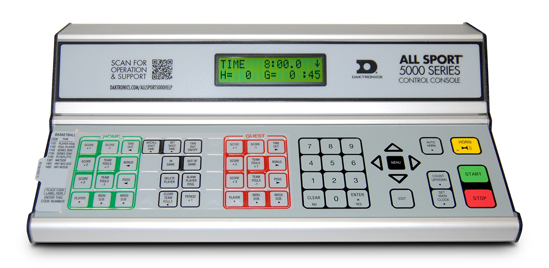
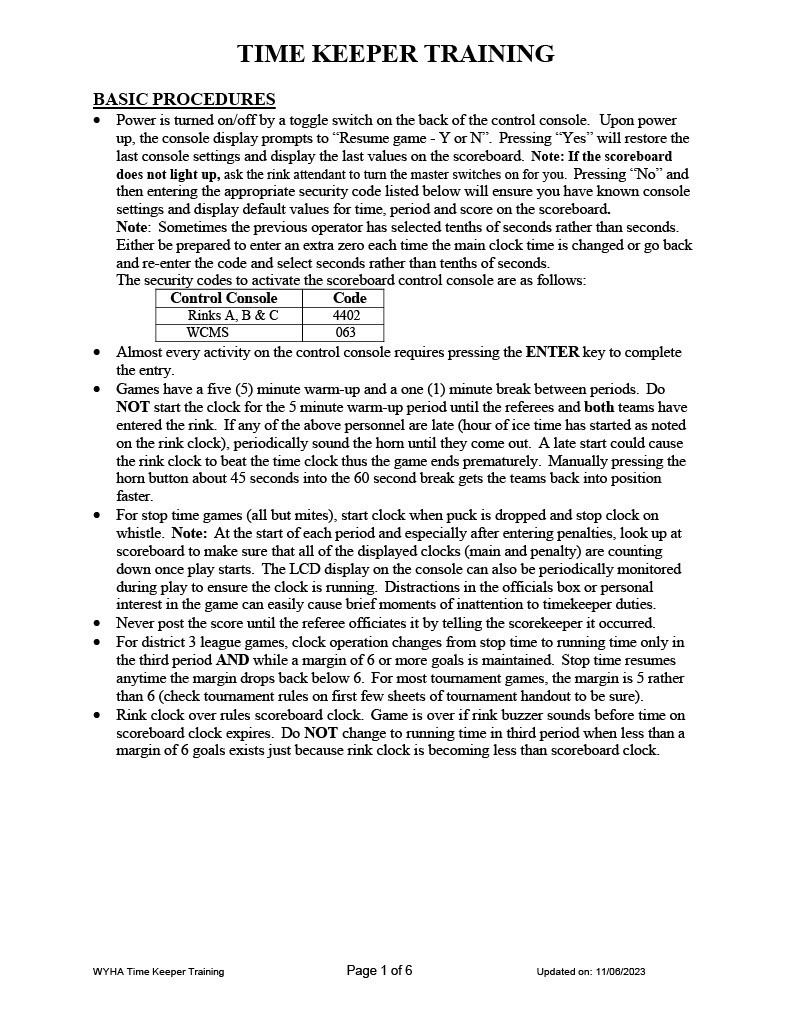
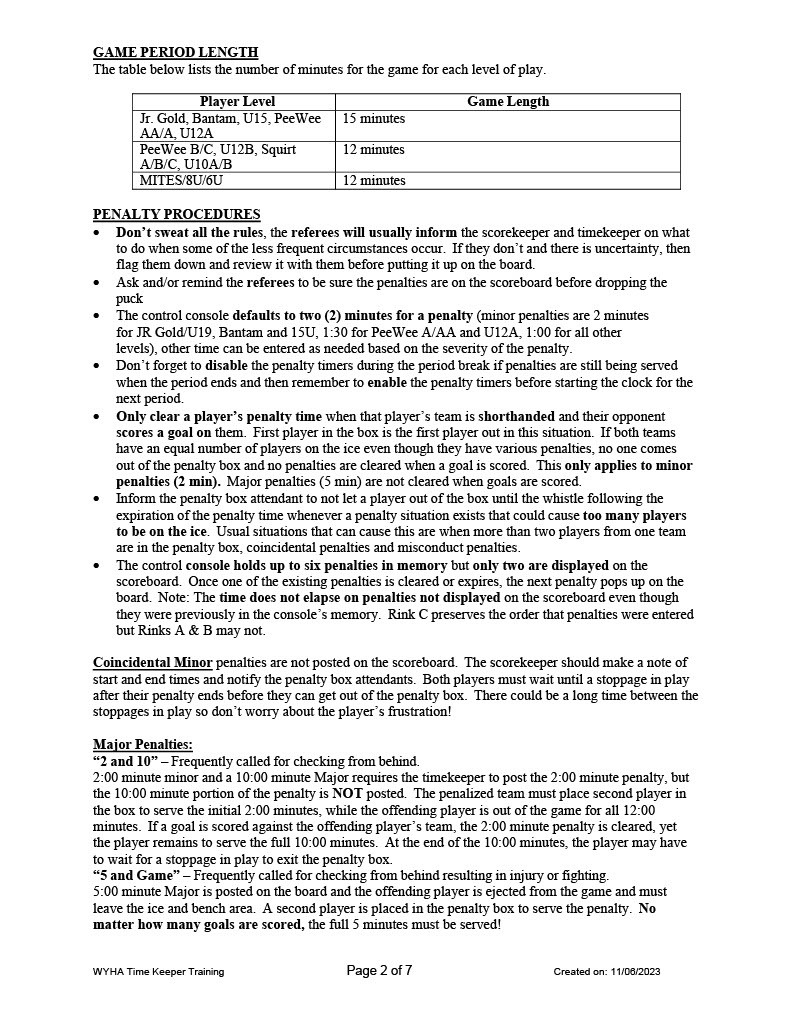
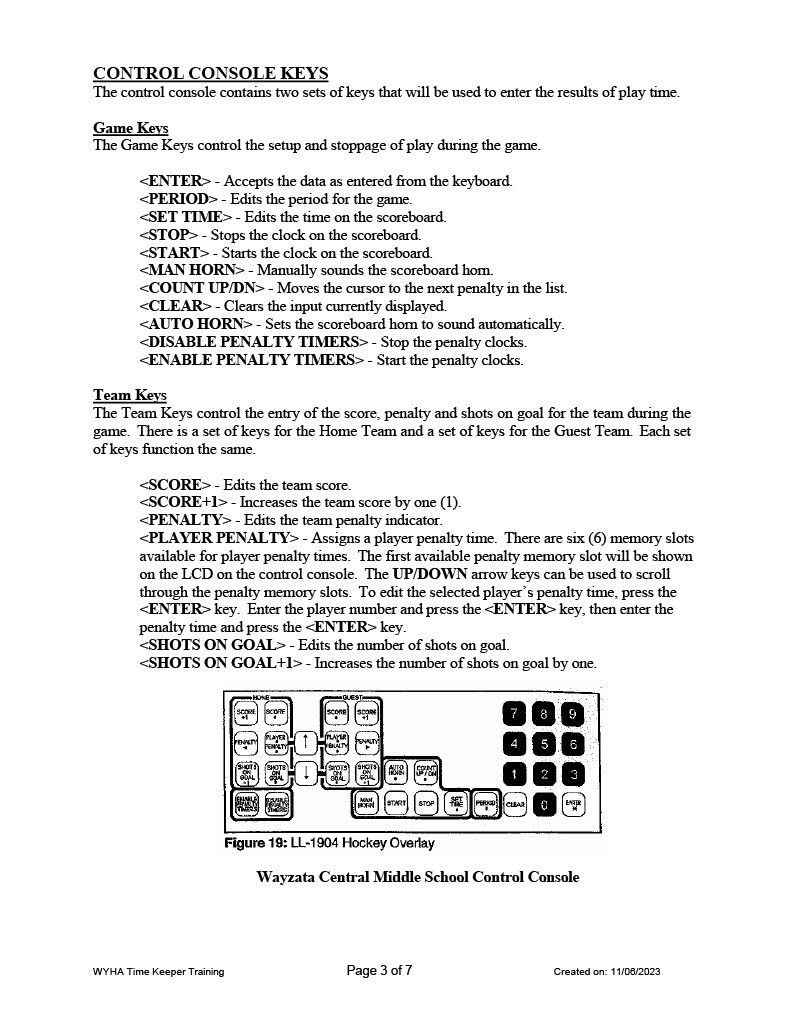
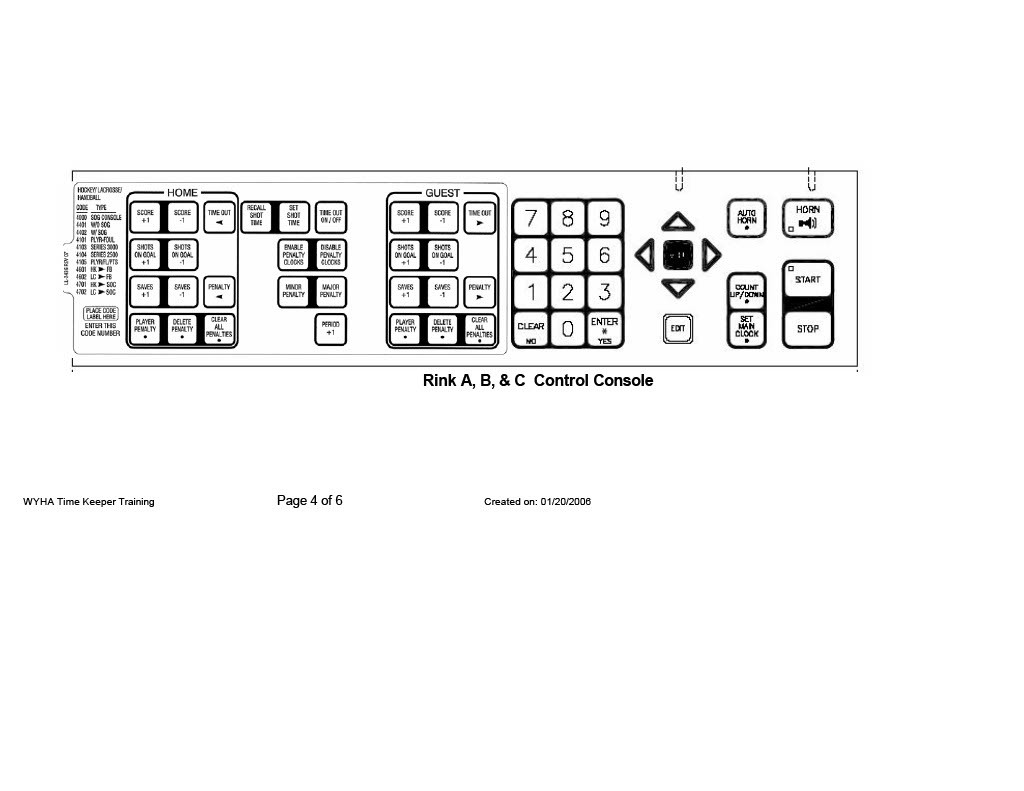
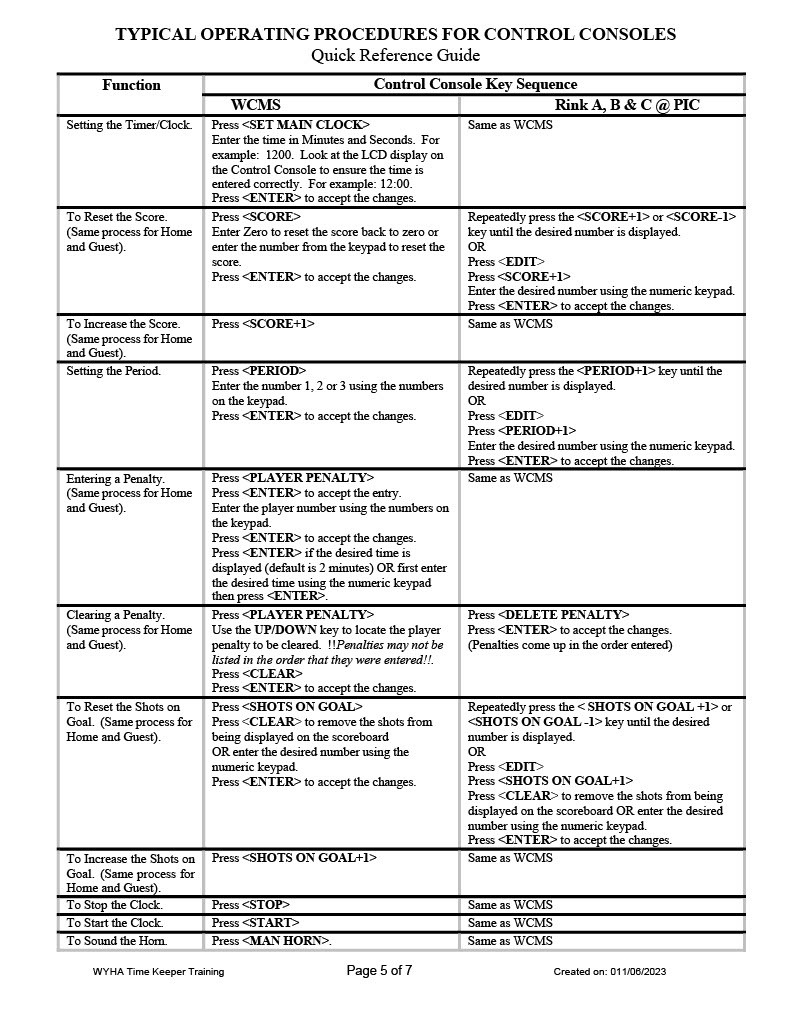
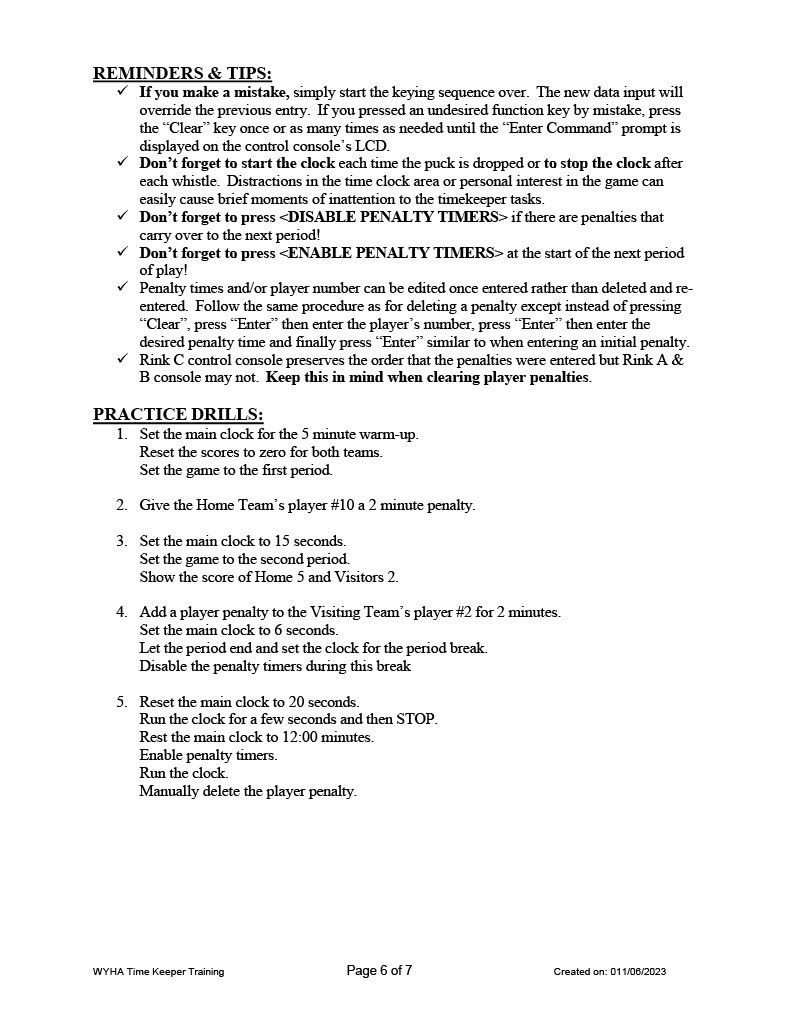
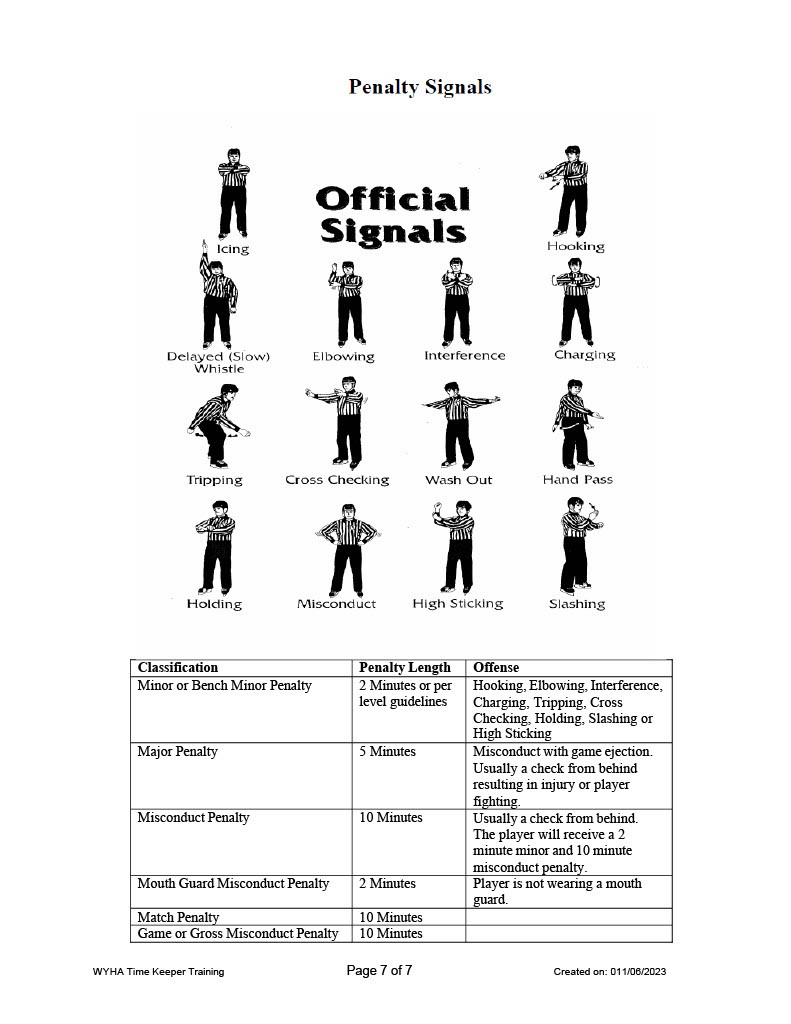
The manufacturer's site manual is also available for those that are interested, but is far more robust than the typical needs of running a game.
Game Clock Training Session
To arrange a training session for your team's families, email ProgramAdmin@WayzataHockey.org. Include your team name and a few practice times that you can have your team's parents/guardians attend.
Penalty Box Training
Learn how to do the role of Penalty Box Volunteer in this short video tutorial from Wayzata Youth Hockey Association Director of Hockey Operations, Miles Death.
This video will help you be prepared for your volunteer role supporting your players' team during a game or scrimmage, or doing your Association Volunteering hours.
Thank you for taking the time to ensure you understand the Penalty Box Volunteer role expectations in order to best support the hockey players, the referees, and the hockey game.
GameSheet
The following resources provide instructions for using GameSheet - the scoring system for games and exhibitions/scrimmages. Each Travel team will need someone assigned to GameSheet for each home game/exhibition.
Sound System
PIC Sound System Instructions
New Speakers
Rinks B and C have been upgraded with new speakers for improved audio quality. Rink A’s setup is unchanged and operates the same as in previous years.
Bluetooth Connectivity
You can now connect a phone or tablet to the PIC rink sound system via Bluetooth from the scorer’s box.
- To pair:
- Press the Bluetooth Pairing button on the console
- When the light begins blinking, select the correct Bluetooth ID on your device
- Bluetooth IDs by Rink:
- Rink A: A_BTN_A
- Rink B: B_BTN_B
- Rink C: C_BTN21_C
- Note: Bluetooth functions only within ~10 feet of the scorer’s box for security purposes
- Standardized Zone Settings (All Rinks)
- Pre-Game: All speakers active
- Game: Bleacher speakers only
- Open Skate: Ice-area speakers only
Microphone Use
- A microphone is plugged in and ready for use
- How to operate:
- Select the microphone input on the console
- Adjust volume using the volume knob
- If no sound is heard, the microphone may be muted or a speaker zone may not be selected
- To unmute: Press and release the volume knob. The indicator light will turn green.
Other Notes
Additional audio equipment may be connected if preferred. Groups must bring their own connection cords, as shared cords frequently go missing.