
Ice & Scrimmages
What You'll Find Here
- Ice Schedule: When the ice schedule will be published
- Ice Transfers & Pickups: How to transfer or pick up ice from another team — NEW for 2026–2027 due to the new assessment fee management process
- Schedule Changes: Communication requirements for Team Managers (TMs) and Scrimmage Coordinators (SCs)
- Practice-to-Scrimmage Changes: Important steps for changing a practice to a scrimmage
- Scrimmages & Exhibition Games: How TMs and SCs should schedule exhibition games
- Ice Touch Guidelines: Guidelines for the number of ice touches
- Ice Contacts: WYHA contacts for ice-related questions and needs
Ice Schedule Publish Dates (Travel)
We know our families appreciate having visibility into when schedules will be released so they can plan ahead. To help with that, we've put together our planned ice schedule publish dates along with other important dates for the 2026-2027 Travel season.
While we are committed to following this timeline, some items depend on factors outside of our control, and dates may occasionally need to shift. If that happens, we'll communicate any updates as quickly as possible.
Thank you for your patience, flexibility, and support as we work to provide the most accurate information possible. We're looking forward to another great season!
BATCH 1A
- 10/7: Bantam, Peewee, 15U, 12U Practices through 11/20 and and Tournaments through the regular season will be published
- 10/10: Bantam Games Finalized with District (Games Start 11/1)
- 10/17: Peewee and 12U Games Finalized with District (Games Start 11/1)
- 11/10: 15U Games Finalized with District (15U Games Start 12/1)
Ensure all Exhibition Games/Scrimmages are communicated to your Level Coordinator, especially during the window between Practices published and Games Finalized with the District!
BATCH 1B
- 10/24: Squirt and 10U Practices through 11/30, and Tournaments and Games through the regular season will be published
BATCH 2
- 11/23: Practices from 12/1/26-1/3/27 for ALL Travel Levels
BATCH 3
- 12/14: Practices from 1/4/27 though the end of the regular season (varies by level) for ALL Travel Levels
District Tournament Dates by Level:
- Bantam (A/B1 2/20-2/28, B2/C 2/27-3/7)
- Peewee (A/B1 2/20-2/28, B2/C 2/27-3/7)
- Squirt (3/7-3/14)
- 15U (2/20-2/28)
- 12U (A/B1 2/20-2/28), (B2 2/27-3/7)
- 10U (3/7-3/14)

Transferring Ice
Transferring Ice
Overview
Ice Can Be Transferred — But Not Bought or Sold
With the new Assessment Fee structure, the way teams handle ice transfers is changing.
The association now allocates the cost of ice to individual players through the assessment fee based on historical and anticipated ice usage. Because the association pays for the ice that is assigned to each team, teams should not exchange money when transferring assigned ice between teams.
Teams may still post ice they are looking to give up or ice they would like to pick up. However, these transactions are considered ice transfers—not ice sales.
How it Works
If your team has ice it cannot use:
- Post the available ice through the Ice Transfer Tracker linked below
- Another team may request to take the ice
- This transfer should be communicated to your Level Coordinator
- No payment should be made from one team to another
- The ice simply transfers from one team to the other
If your team is looking for additional ice:
- Check the available ice postings
- Request ice that another team is looking to give up
- Do not offer payment to another team for its assigned ice
- This transfer should be communicated to your Level Coordinator
Why Aren't Teams Paying Each Other?
Under the previous approach, teams may have viewed their assigned ice as something they had purchased and could therefore sell to another team.
Under the new assessment model, that is no longer the case.
The association pays for the ice from the pre-determined assessment fee charge, and allocates the associated cost to players through the assessment fee. Therefore, when assigned ice is transferred from one team to another, neither team is making a new purchase or receiving a refund.
There should be no money changing hands between teams for assigned ice.
Ensuring Fairness in Ice Allocation
Teams should not use the transfer process to continually acquire additional ice beyond their normal allocation without paying for it.
The association will monitor ice transfers to ensure that the process remains equitable. Teams that consistently acquire substantially more ice than their assigned allocation may be required to pay for the additional ice through the association.
Likewise, teams should not use the ice-transfer process as a way to generate or retain funds by "selling" assigned ice to other teams.
How to Transfer Ice
When transferring ice between WYHA teams, Team Managers/Scrimmage Coordinators should follow these steps:
- Post the ice on the Ice Transfer Tracker (a shared Google Sheet)
- Interested parties can reference the tracker and - if interested in the ice - reach out the team who posted it to confirm its still available
- Update the Tracker to reflect a confirmed Transfer
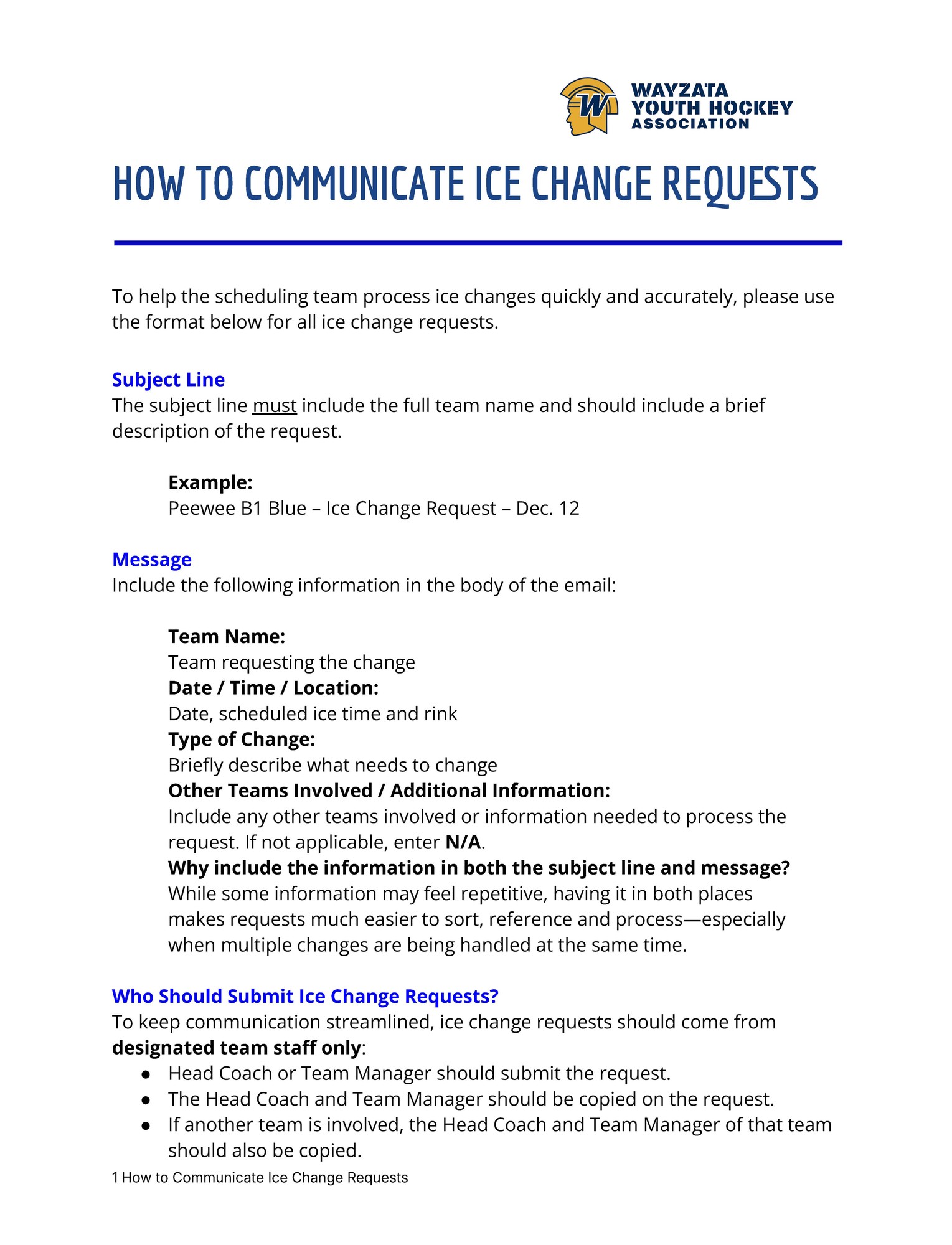
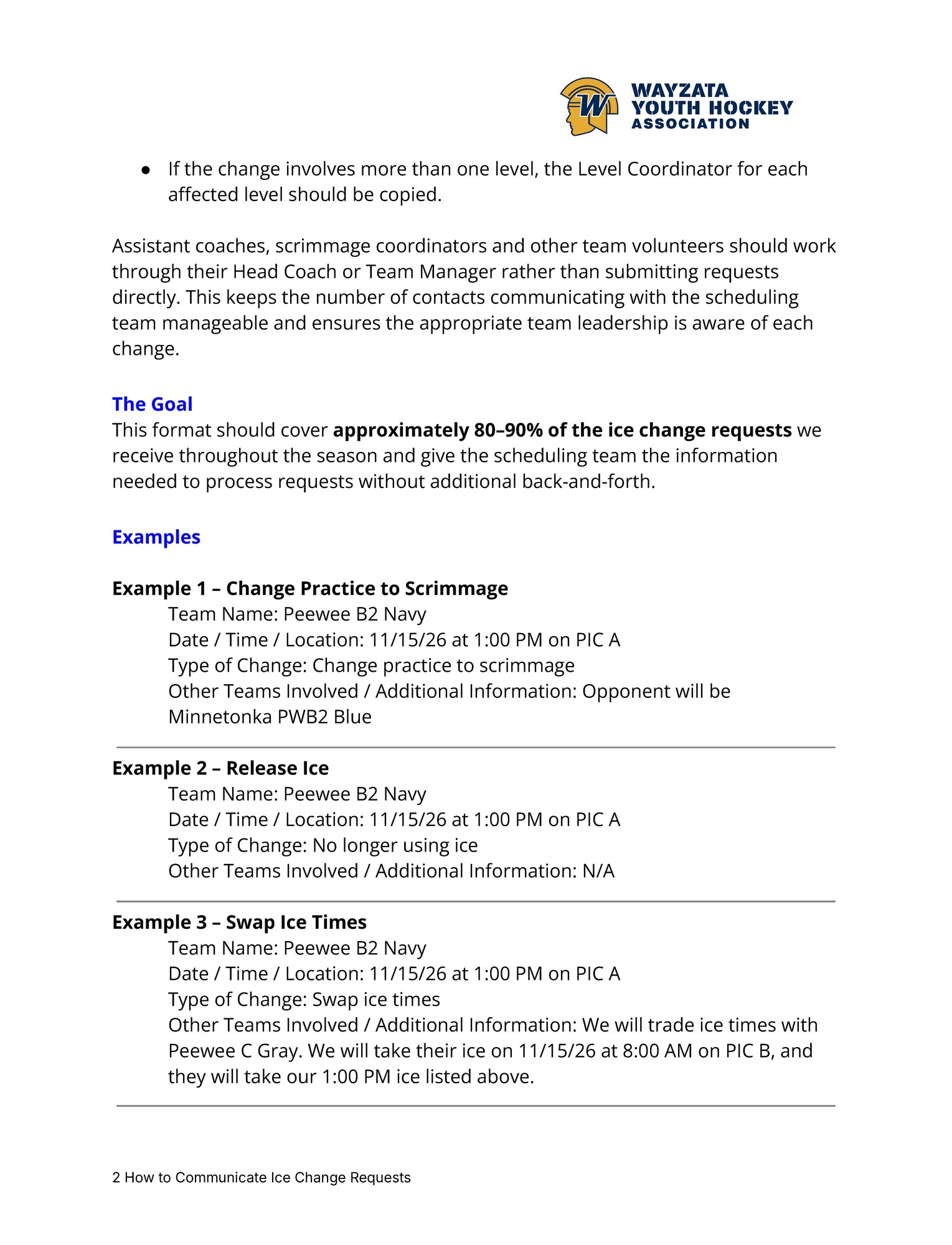
- Email your Level Coordinator to request the ice schedule to be updated. Include the following info:
- In the Subject Line include: Team Name & Level, Date and Time of Change Request (ex. Peewee B1 Yellow October 1 5PM)
- In the body of the email include the specific request
* IMPORTANT - See important note below on converting practices to a scrimmage! *
A note on Crossbar Calendars
You may chose to add a Crossbar event to your calendar (for example potentially adjacent to the one you are changing) to provide notes/direction to your team while you await the official calendar update from the WYHA Scheduler through your Level Coordinator; however changes made to a Crossbar calendar from a Team Manager or Scrimmage Coordinator should only be considered notes to your team, not official ice scheduling.
HOW TO CHANGE YOUR ICE SCHEDULE
There are slight nuances to the process and steps for changing ice times based on the scenarios below:
Scenario 1 - Practice to Scrimmage at Home
- Team Manager (TM) or Scrimmage Coordinator (SC) notify Level Coordinator of the change via email
- TM/SC may chose to add an event to the calendar to serve as a notice to the team while the Level Coordinator makes the change and it pushes through the system (approx. 48 Hours)
Scenario 2 - Practice to Scrimmage Away
- TM/SC notify the Level Coordinator of the change via email
- The Level Coordinator will remove the ice from the calendar. Please allow approx. 48 hours from time of request. If you transferred the ice to another team, ideally let the Level Coordinator know at this time.
- TM/SC adds an event to the Crossbar calendar to notify the team of the event and coordinates details with opposing team. This serves a reminder/note only, not as official ice scheduling. The official scheduling would happen via the Away team contact. The opposing team manages the official ice scheduling.
Scenario 3 - Adding New Ice Time
- TM/SC notify the Level Coordinator of the change via email. Please allow approx. 48 hours from time of request for your calendar to be updated by the Ice Scheduler.
- TM/SC may chose to add an event to the Crossbar calendar to notify the team of the event. This serves a reminder/note only, not as official ice scheduling.
Scenario 4 - Canceling a Practice
- TM/SC notify the Level Coordinator of the change via email
- The Level Coordinator will remove the practice from the schedule. Please allow approx. 48 hours from time of request.
- TM/SC may chose to add an event to the Crossbar calendar to notify the team of the event. This serves a reminder/note only, not as official ice scheduling.
Use this process and provide these specific details when submitting ice change requests to your Level Coordinator.
Converting a Practice to a Scrimmage/Exhibition Game
If a team converts a practice to a scrimmage, the Team Manager/Scrimmage Coordinator needs to alert the Level Coordinator to avoid any potential changes to that practice slot and to ensure information correctly feeds to rink monitors. Email your Level Coordinator to notify them of the Scrimmage details.
Practice times could be adjusted at any time due to circumstances outside the association's control, so it's important that the Ice Scheduler knows if there is a scrimmage happening.
Note Team Managers/Scrimmage Coordinators may add a Crossbar calendar notice adjacent to the one you are changing to provide notes/instructions to your team while you await the calendar update from the WYHA Scheduler, however this should only be considered notes to your team, not official ice scheduling.
LOCKER ROOM ASSIGNMENTS
Ensuring the rink monitors reflect the opponent's name for a scrimmage has varying steps depending on the rink. Follow the instructions below.
Plymouth Ice Center (PIC)
- Teams must email scrimmage@plymouthmn.gov to request a locker room assignment for scrimmages. Note the following deadlines:
- Weekday scrimmages: Email your request by 12:00 PM, Monday–Friday (excluding holidays).
- Weekend scrimmages: Email your request by 12:00 PM on Friday
- Requests emailed after this deadline will not be addressed.
- The earlier, the better! If you know your scrimmage schedule in advance, please send your request as early as possible. Requests received a week ahead of time are especially helpful.
Brooklyn Park
- Assignments are set each Friday for the following 8 days. If the official ice schedule has been updated before assignments are set, there is no need to email the rink to request a locker room. The information will automatically feed from the ice schedule.
- If a scrimmage is scheduled within the 8-day window, email Mark.Palm@brooklynpark.org with the opponent’s name to notify the rink.
- The rink will automatically assign two locker rooms for scrimmages. Emailing the rink is only necessary if you would like the opponent’s name displayed on the locker room monitor.
Wayzata Central
- Assignments are set Mondays looking a week out. If the ice schedule has been updated before the assignments are set, there is no need to email the rink to request a locker room. If a scrimmage is set within that 7 day window, email the rink to request a locker room for the opponent.
- Email facilityrentals@wayzataschools.org to request a locker room assigned for your opponent
SCRIMMAGE/EXHIBITION GAME SCHEDULING PROCESS
Step 1 - Schedule Officials here under the Team Manager tab. Enter game information and ensure all information is correct before submitting.
Step 2 - Inform your Level Coordinator that you have a scrimmage. See scenarios above. This should be done 30 days out or as soon in advance as possible.
Step 3 - GameSheet is used and the Home team will need to create an Exhibition in GameSheet (and bring/run the iPad)
Guidelines for Practices, Tournaments, Games and Scrimmages
WYHA supports the USA Hockey recommended 3 practices to 1 game ratio. All teams should strive for this ratio as much as possible. A game is defined as an activity where two teams compete against each other, so a scrimmage, league game or a single tournament game are considered a game.
SQUIRT & 10U GAME LIMITS
As mandated by Minnesota Hockey, Squirt & 10U teams are limited to a maximum of 35 games per season (excluding district playoffs). Coaches, managers, and scrimmage coordinators should always be cognizant of this game limit when scheduling games outside of the WYHA-provided tournaments and District 3 league games.
Teams may play a maximum of one game per day except at sanctioned tournaments.
Under no circumstances may a team play a tournament game and a district game in the same day.
There is a maximum of 5 Controlled Scrimmages allowed per team. Controlled Scrimmages do not count against the 35-game-days limit as long as they are registered in accordance with District 3 rules and regulations.
Controlled Scrimmages are allowed as a coaching tool for teaching position play and to address various game situations. All of the following criteria must be met for the event to be considered a Coaches-on-ice-Scrimmage:
- At least one coach from each team must be on the ice for the purpose of instruction.
- No official score may be kept, but the game clock may be used.
- The event must be conducted as a practice, with coaches stopping play from time to time provide coaching and instruction.
Reference the D3 site for Squirt/10U Game Limit Information.
ALL OTHER TRAVEL LEVELS
Peewee/12U should plan for 35-40 game-type events before the District tournament in order to accomplish the desired practice-to-game ratio.
Bantam/15U should plan for 40-45 games-type events.
SCRIMMAGE (EXHIBITION) GUIDELINES
Any competition scheduled outside of the District 3 league schedule or tournaments is considered a game with respect to the game limits in Squirts/10U and the desired number of games at other levels. All scrimmages hosted inside of District 3 must include District 3 referees and be scheduled far enough in advance to ensure referees can attend. Failure to comply with these guidelines will result in a three-game suspension to the head coach. GameSheet must be used for all scrimmages.
Teams must keep their game schedule updated on their team page on the website with all games and scores. This should be completed within 72 hours after a game.
TOURNAMENTS
Teams are scheduled for at least 3 tournaments with at least one of them being an out-of-town tournament. In many cases, teams will have more than 3 tournaments scheduled for them by WYHA, and in some cases due to the lack of available tournaments and the size of the WYHA organization it may not be possible to book as many local tournaments as we would like.
Additional tournaments can be added but District games can not be rescheduled to add a tournament. Minnesota Hockey rules do not allow more then 2 games a day and there must be a 3 hour rest period between games in the same day and 10 hours of rest overnight.
SKILLS & DRYLAND
Skill sessions cannot be canceled. It is expected that teams will be encouraged to attend all skills and dryland sessions. Goalies are encouraged to attend the goalie-specific skills sessions when possible, and may take guidance from their coaches if skills or dryland are scheduled on days when there are no goalie skills events.